Lists that match how you shop
A default list plus custom lists, so groceries, the hardware store, and the pharmacy don't pile into one scroll.
Features
Shared shopping lists that live on your family's devices - assign items to people, mark what's urgent, and let the meal plan fill the list for you. No accounts, no group chat required.
Free forever · Works offline · No account needed
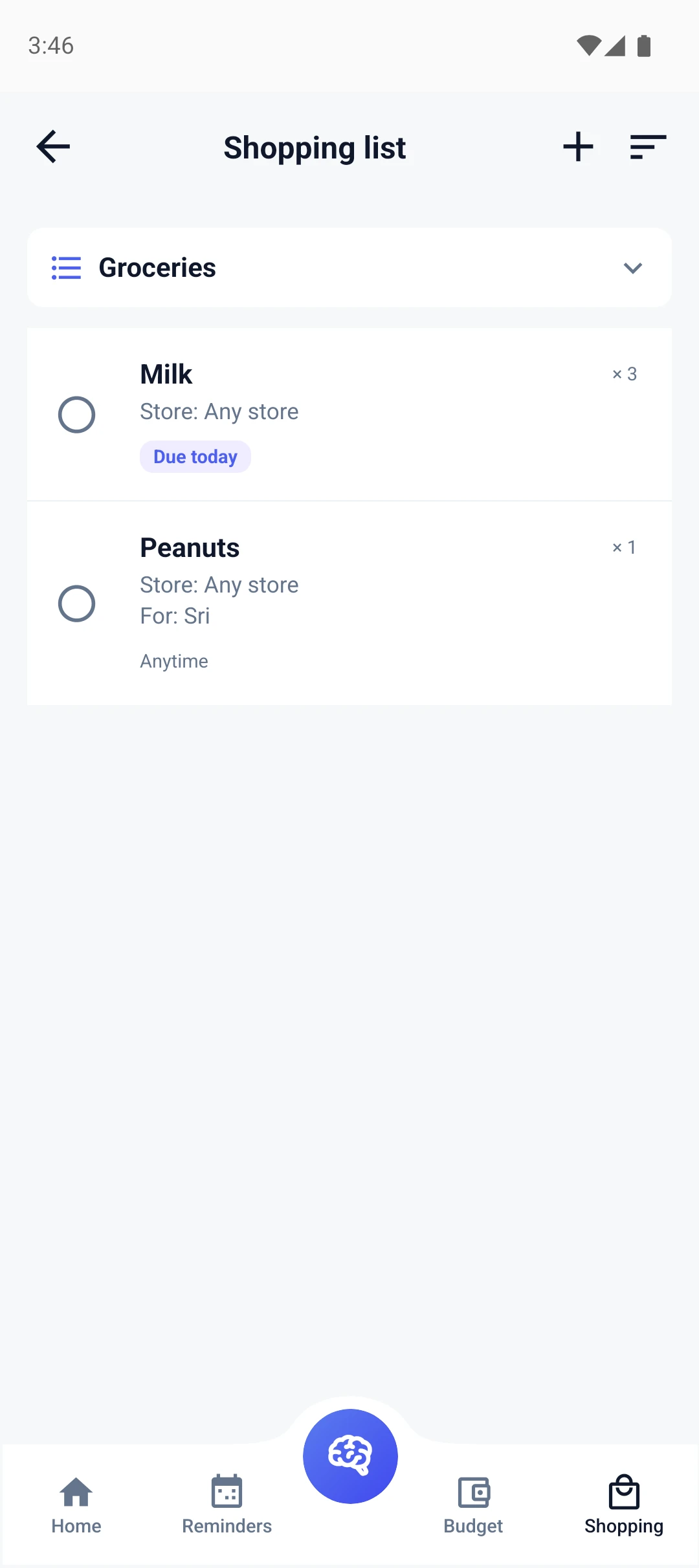
A default list plus custom lists, so groceries, the hardware store, and the pharmacy don't pile into one scroll.
Put a name on it. An item marked for a family member is their errand - no 'who was supposed to buy milk?' debates.
Three cartons of milk, at the store you actually use, needed today. Enough detail that whoever shops gets it right the first time.
Plan the week's dinners and FamiliaSync generates a meal-plan shopping list from it automatically.
Flag the items you can't come home without, and due-date badges call out what's needed today versus whenever.
'Add eggs and bread to the grocery list' - the on-device assistant handles it without a cloud call.
Every family gets a default list out of the box. Add custom lists when a store or occasion deserves its own.
Type them, set quantities and stores, assign them to someone, or ask the assistant to add them for you.
An encrypted device-to-device transfer shares the list with your family's phones. Items tick off for everyone.
The grocery list usually fails in two places: items that never make it onto the list, and items nobody was clearly responsible for. FamiliaSync attacks both. The meal planner generates a dedicated shopping list from the week of dinners you planned, so ingredients land on the list instead of staying in someone's head. And every item can carry a name - when the milk is assigned to a person, the 'I thought you were getting it' conversation disappears.
Items carry the detail a real shop needs: quantities, the store you actually use, and a due date. Flag the essentials - the things you cannot come home without - and due-date badges separate 'needed today' from 'whenever someone is near the store'. Whoever ends up shopping sees a list that answers its own questions.
Most shared lists are really shared accounts: an email, a password, a household of people logging into the same slice of somebody's server. FamiliaSync replaces that with device pairing. You approve an encrypted transfer between two phones, both devices confirm it, and the list lives on each of them. Ticked items tick off for everyone - without a server ever holding a copy.
Because there is no account, there is also nothing to hand over when a device leaves the family and nothing to breach on our side. The sharing model is deliberately small: the people whose phones you pair are the people who see the list.
Supermarkets are where phone signal goes to die - steel shelving, basement car parks, thick walls. Cloud list apps spin or stall exactly when you need them. FamiliaSync's list lives entirely on your phone, so the checkboxes work in the freezer aisle the same way they worked in your kitchen.
It also makes the list fast in the way that matters mid-shop: add items with the on-device assistant while your hands are full, filter by store so a quick detour covers one list and not three, and trust that everything is already synced from the last pairing - no loading spinner between you and the milk.
Join the waitlist - free forever, with no cloud account needed to get started.
Free forever · No cloud account needed