One calendar, every member
Events belong to people and categories - kids' school days, pediatrician appointments, trash collection, birthdays, work shifts. Everything lands on one color-coded timeline.
Features
FamiliaSync's shared calendar keeps everyone's schedule on the family's own devices - color-coded per member, with recurring events and reminders that work even when the internet doesn't.
Free forever · Works offline · No account needed
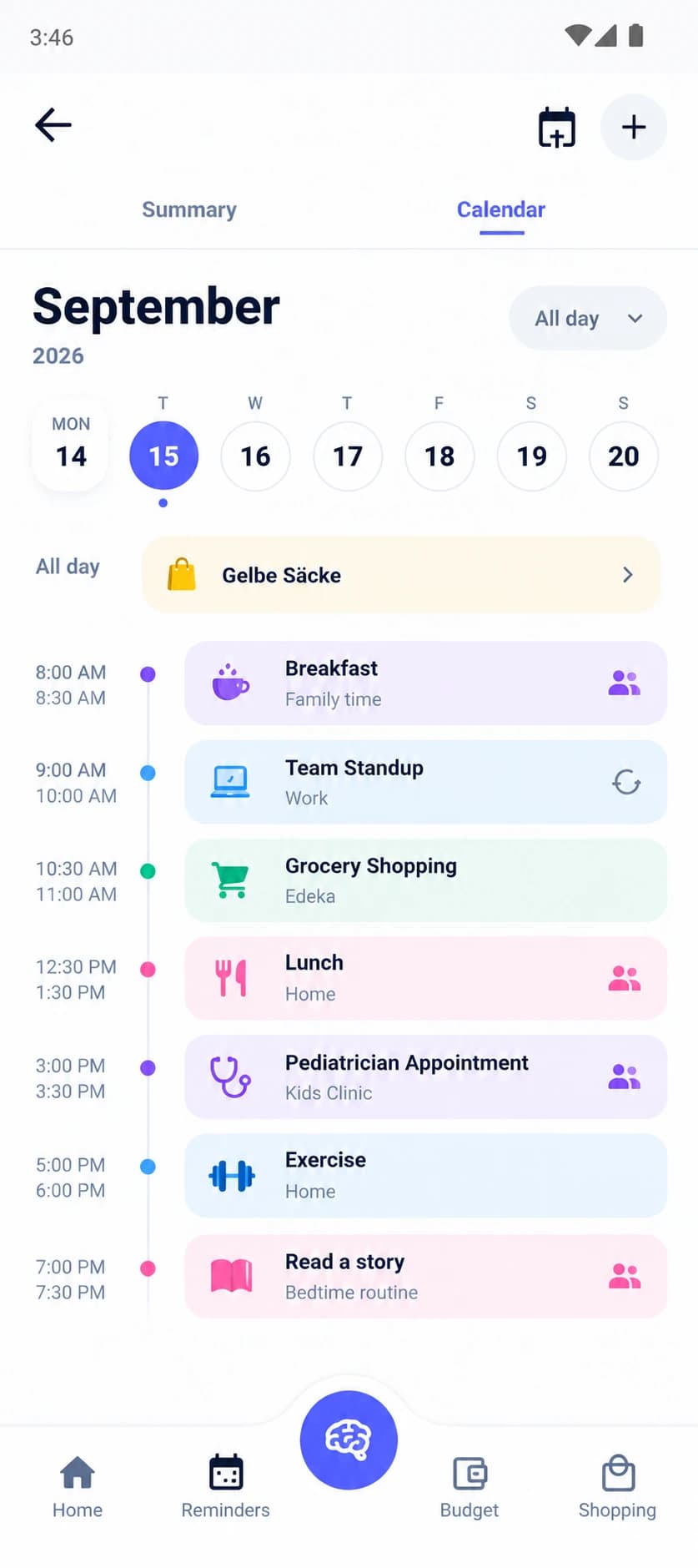
Events belong to people and categories - kids' school days, pediatrician appointments, trash collection, birthdays, work shifts. Everything lands on one color-coded timeline.
Daily, weekly, monthly, yearly, or custom recurrence rules. Weekly piano lessons and annual birthdays don't need re-entering.
Attach multiple reminders to a single event. A 3pm appointment can nudge at 9am and again at 2pm.
All-day items for birthdays and holidays; timed events with locations and notes for everything else.
Say 'remind me about the pediatrician Friday at 3' and the on-device assistant creates the event. Nothing leaves the phone.
View by member or category, and search across titles, notes, and locations.
Pick the family member, category, and time. Add a location and notes if it helps - a clinic address or what to bring.
Make it repeat on a schedule that matches real life, and attach as many reminders as the event deserves.
Encrypted device-to-device sync shares the calendar with the people you choose. No account, no server in the middle.
Monday morning is a school run and a work call that overlap. Wednesday is piano lessons at four, a grocery run at six, and trash collection before bed. Friday is a pediatrician appointment somebody has to leave work early for. That is a normal family week - and it is exactly what the calendar is built around: events color-coded per member and category, so a glance tells you who needs to be where and who is free to cover the gap.
The parts that usually fall through the cracks are the small handoffs: who picks up, what to bring, when to leave. That is why events carry locations and notes, why reminders come in multiples - a nudge in the morning and another before you head out - and why the on-device assistant can take 'remind me about the pediatrician Friday at 3' as a complete instruction.
Calendars fail at the worst moments: in the school car park with one bar of signal, in the basement of a clinic, at a grandparent's house where the Wi-Fi password is a mystery. Because FamiliaSync is offline-first, the calendar is always fully there - every event, every reminder, every recurrence rule works the same in airplane mode as it does on fibre.
Sharing works differently too. Instead of a cloud account quietly replicating everything in the background, you pair devices deliberately: an encrypted transfer from your phone to your partner's, confirmed on both ends. The calendar appears on their device and stays in step from there - no server in the middle, no account to secure, nothing to deactivate when a device leaves the family.
A family calendar is one of the most revealing datasets you own. It holds your children's school and routine, your work pattern, your appointments - and by implication, when the house is empty. On most organizers that map lives on a company's server, protected by a policy. In FamiliaSync it lives in an encrypted database on your own devices, and the only copies that exist are the ones on phones you chose to pair.
That is the difference between trusting a promise and not needing one. There is no FamiliaSync account for an attacker to breach, no user database to subpoena, and nothing that changes hands if the product is ever sold. Your family's routine stays where it belongs - with your family.
Join the waitlist - free forever, with no cloud account needed to get started.
Free forever · No cloud account needed